Coming soon

Track the hours and money of every project

Your team clocks in on the project and task they are working on. You see hours, amount, cost and remaining budget instantly. We are building it and want to do it with you.

No commitment. We will only write to you about this.
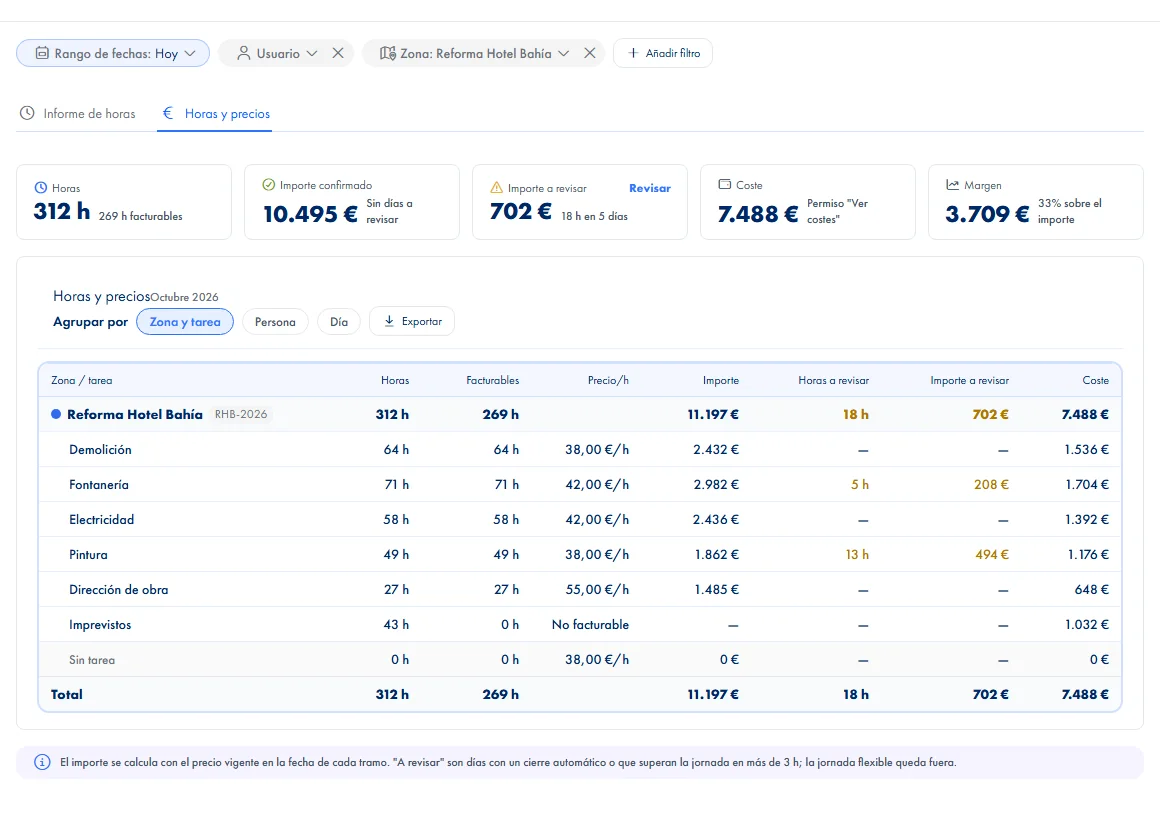
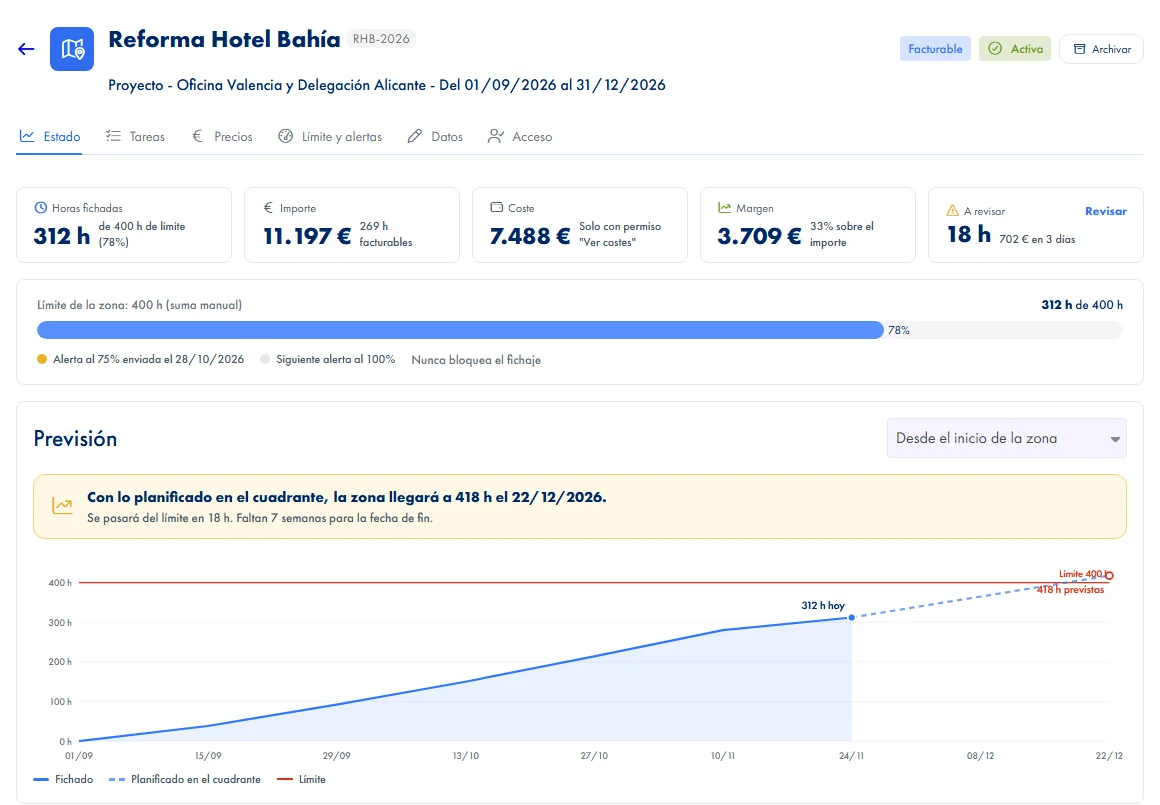
Project page with clocked hours, amount, cost, margin and limit
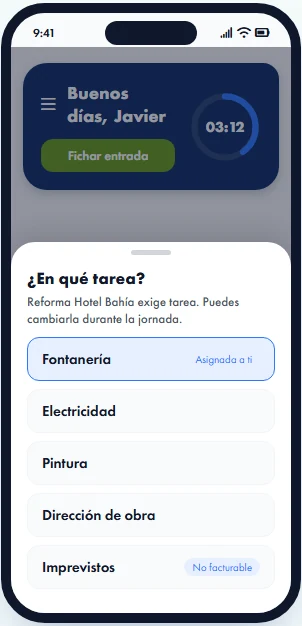
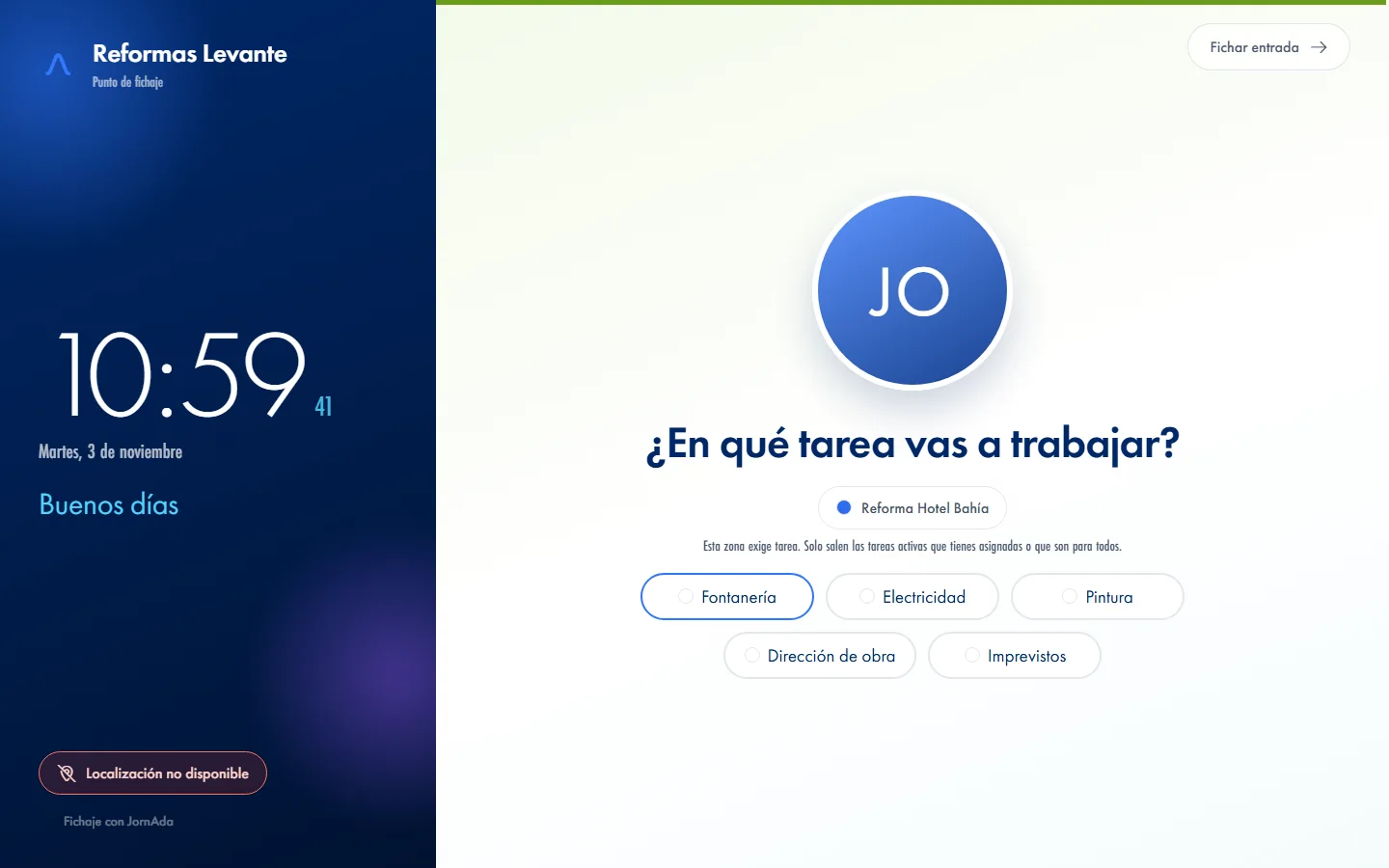
In the app, the person picks the task when clocking in
Reforma Hotel BahíaHas reached 75 % of its limit

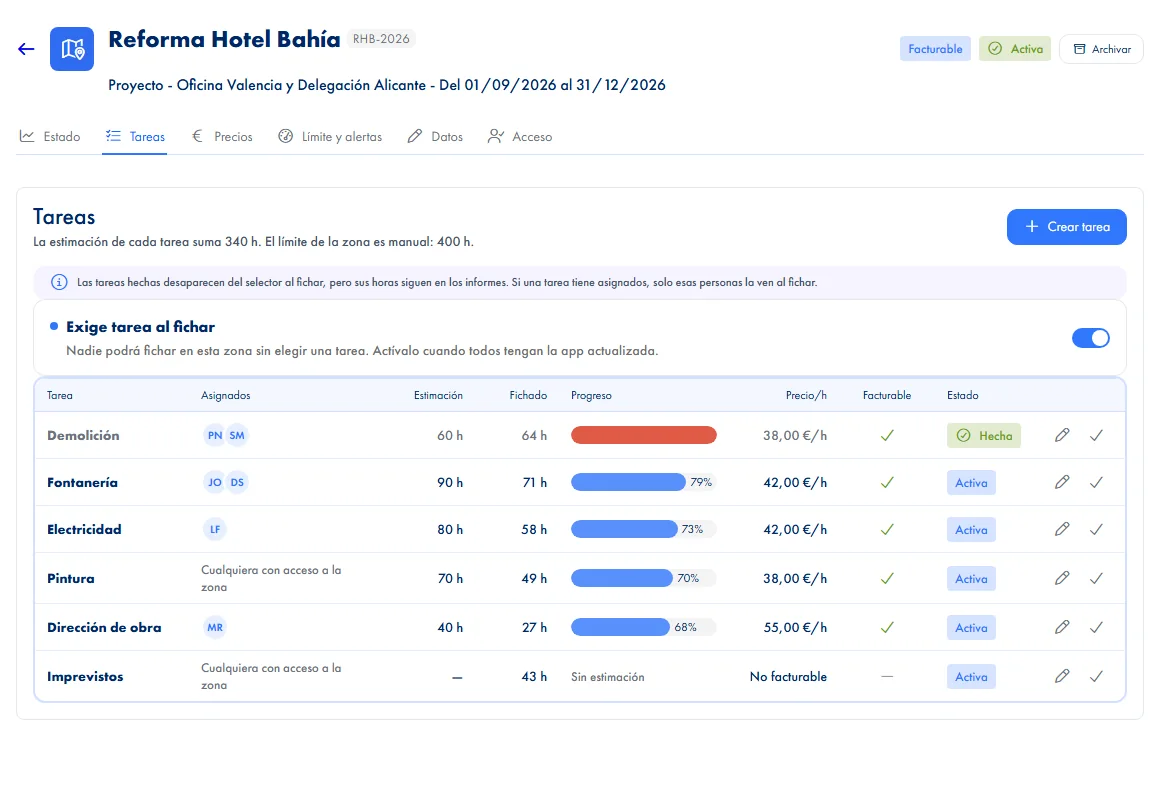
Tasks inside each project

Split the project into tasks such as Plumbing or Painting, with their estimated hours and the people assigned.

Chosen when clocking in

After the zone, the person picks the task. On the web, in the app and on the kiosk. Switching task starts a new time block.

The price of every hour

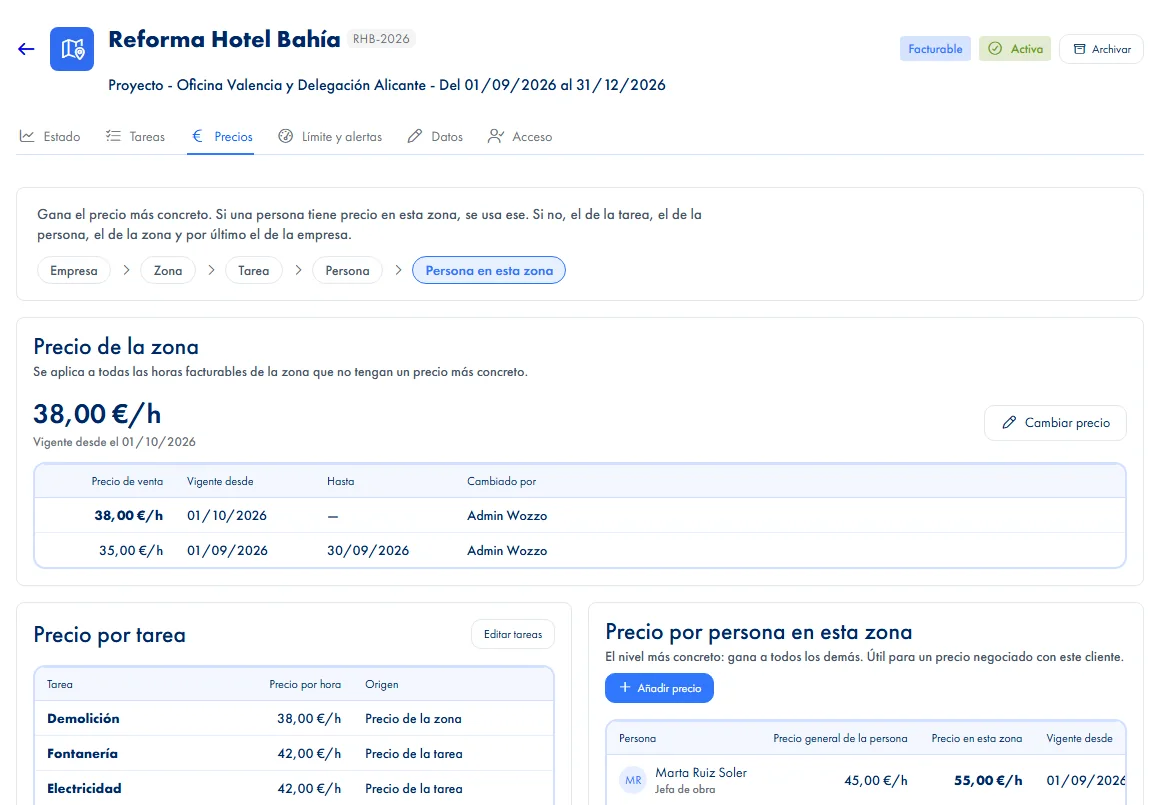
Set a price for the whole company and fine-tune it by project, task, person or person on a project. The most specific one always applies.

Cost and margin

Add each person's hourly cost and see how much each project leaves you. Only people with permission can see it.

Budget with alerts

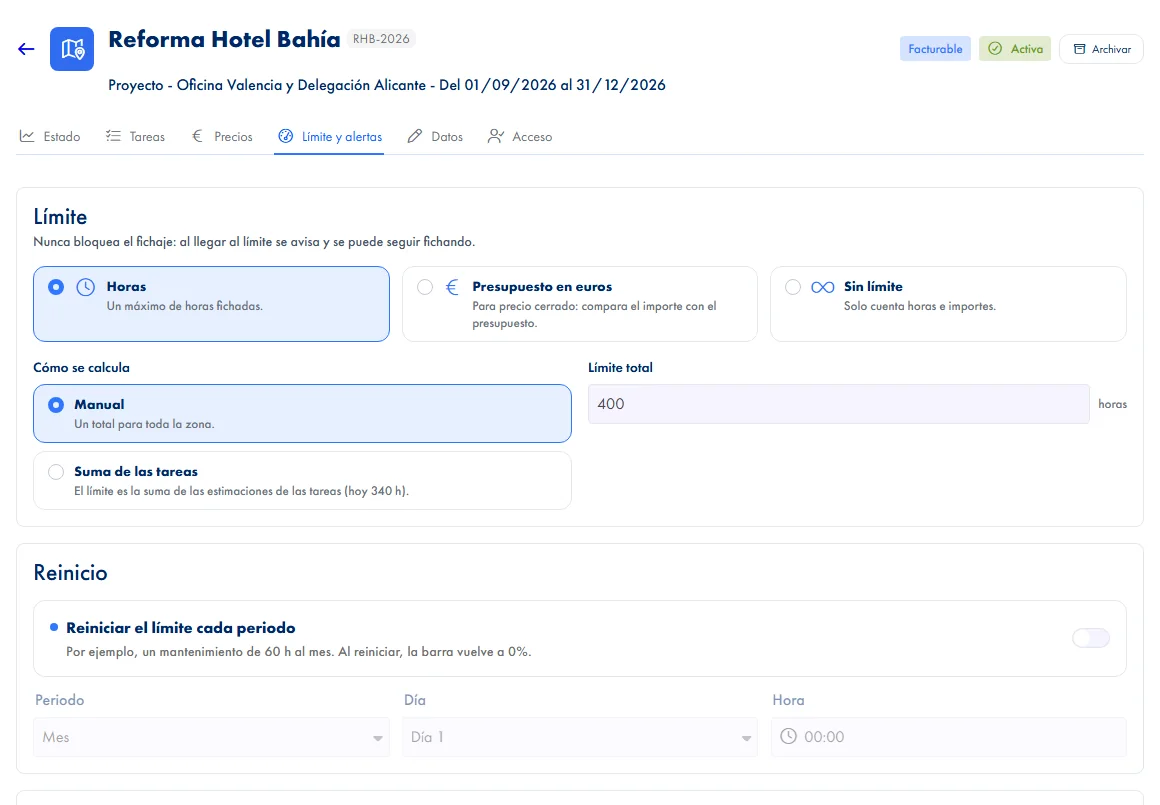
Set a limit in hours or in euros. We alert you at 75 % and 100 %, and clocking in is never blocked.

Forecast from the schedule

With what is planned in the schedule, you see when the project will reach its limit before it happens.

How it will work

From zone to project in four steps

  1. You create the project

    It is a work zone with its code, dates and the sites where the work happens. If you already use zones, you already have it.

  2. You add tasks and prices

    The tasks you need, with their estimate, and the hourly price at the level you want.

  3. Your team clocks in

    They choose the project and the task when clocking in. If the project has no tasks, they clock in as usual.

  4. You see it instantly

    Hours, amount, cost, margin and budget update with every clock-in.

Tasks with estimates and progress

Each task has its estimated hours, its own price if it differs from the project's, and the people who can clock in on it. A bar shows how much has been used.

You can require a task to clock in on a project. Finished tasks no longer appear when clocking in, but their hours stay in the reports.

Tasks with estimates and progress

The right price for every hour

Company, project, task, person and person on the project. Set a price where you need it and the rest is inherited.

Every price has a start date. If you raise your rate, you decide whether it applies from today, from a date or to all the project's hours.

The right price for every hour

Budgets that warn without stopping anyone

Set a limit in hours or a budget in euros for fixed-price work. It can be a total or the sum of the tasks, and reset every month for recurring services.

At 75 % and 100 %, managers get an email alert. Clocking in is never blocked.

Budgets that warn without stopping anyone

Doubtful hours, set aside

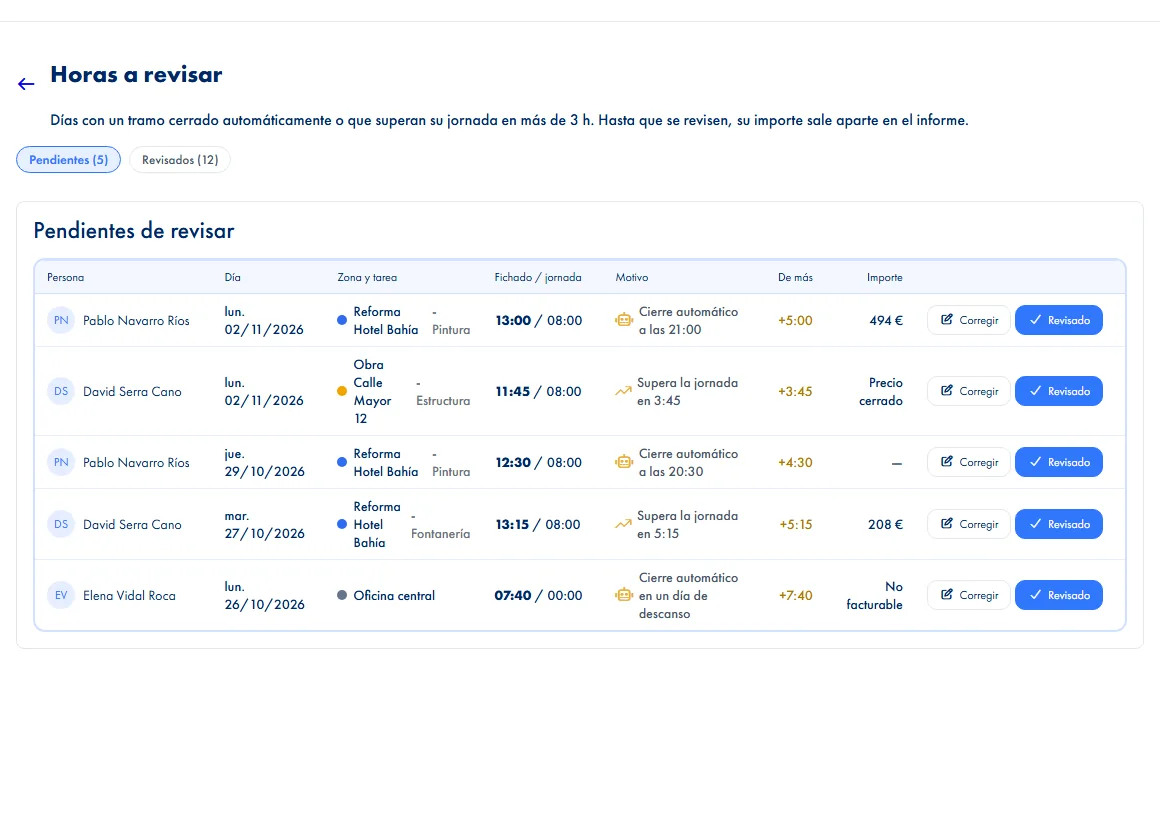
A day with a clock-out closed by the system, or that runs more than 3 hours over the working day, is flagged for review. Its amount is kept apart from the confirmed one.

You review it, fix it if needed and approve it with one click. What you show your client has been checked.

Doubtful hours, set aside

Hours and amounts in one report

Group by project, task, person or day and see hours, billable hours, amount, cost and margin.

Filter and export it like any other JornAda report.

Hours and amounts in one report
In the app and on the kiosk

Clocking in still takes seconds

After choosing the project, the person picks the task. If the project has no tasks, nothing changes.

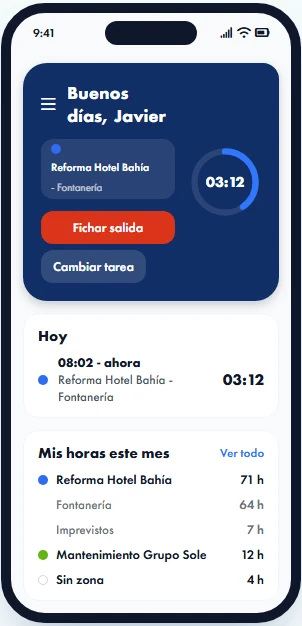
Working on Plumbing
Working on PlumbingThe task shows next to the zone and can be changed without clocking out.
Pick the task
Pick the taskRight after the zone. Only if the project has tasks.
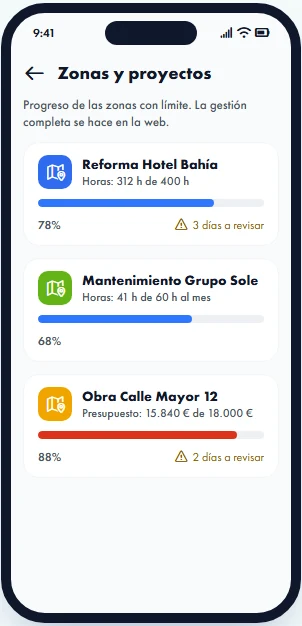
Progress on your phone
Progress on your phoneManagers see how each project is going and what needs reviewing.
On the kiosk, the task also comes after the zone.
Your opinion matters

We'll build it if you're interested

We are deciding what to do first and when. Leave us your details and tell us what you would need.

  • We'll let you know when it's readyWe will only write to you about project management.
  • Tell us what you needWhat you write helps us decide what to do first.
  • You don't need to be a customerOr have a JornAda account.

Contact Name

Company Name *

Email *

Phone

Phone number with country code. Example: +34612345678

Type your message here...

By sending you accept the Terms and Conditions and the Privacity Policy

Common questions

Questions about project management

No. A project without tasks is clocked in like any zone today. The task is only requested on the projects where you turn it on.

Yes. Every zone will be able to work as a project, with its tasks, prices and budget. There is nothing new to create and no data to duplicate.

Never. At 75 % and 100 % managers get an alert, but the team can keep clocking in.

Only people with the “View costs” permission. The rest of the team sees their own hours and tasks.

No. You will see the hours and amounts of each project and be able to export them, but you keep invoicing with your usual software.

Yes. The task is chosen right after the zone, on the web, in the app and on the kiosk.

No. Everything you have now stays the same, and the hours already clocked in each zone can be valued with their prices.