Kiosk mode for centralized clock-in

Clock-in station for common areas using PIN codes. No smartphone needed: any tablet becomes a time tracking terminal.

Try for free✓ 15 days free  ·  No card required
Kiosk mode for centralized clock-in

Clock-in from any tablet

Turn any iOS or Android tablet into a shared clock-in terminal. No additional hardware needed: just install JornAda and enable kiosk mode.

Personal PIN codes

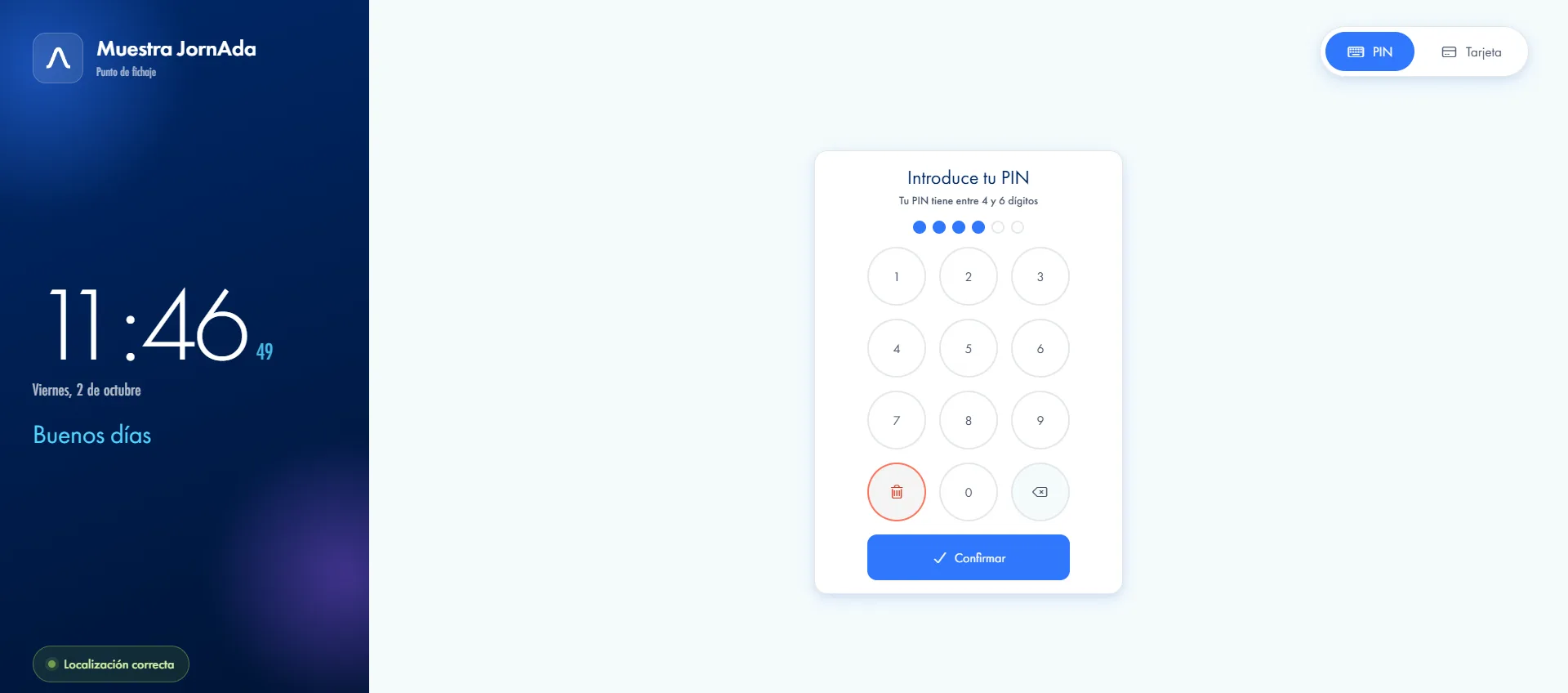
Each employee has a unique 4–6 digit PIN to clock in. No smartphone, no card, no contact required.

Clock-in in under 3 seconds

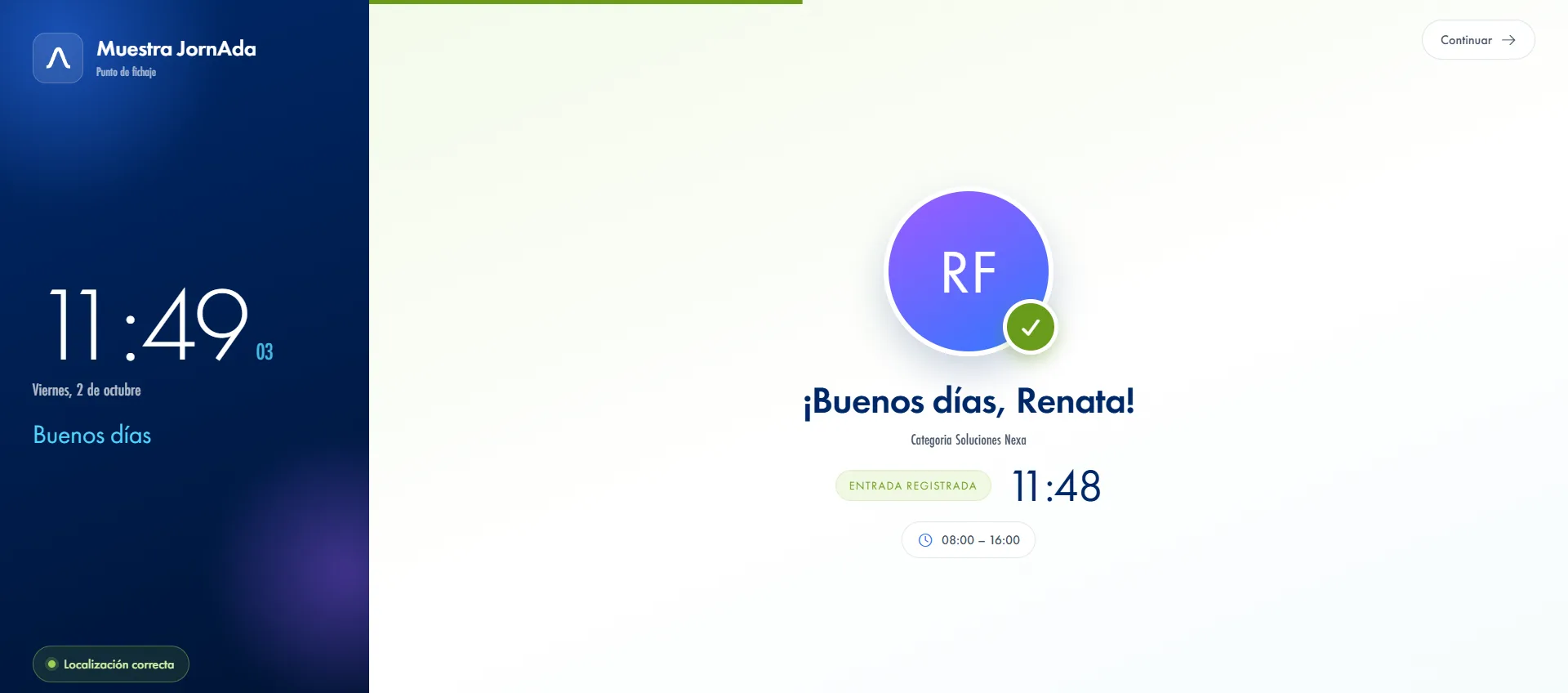
The interface is designed for speed. Employees enter their PIN and get an immediate visual confirmation of their clock-in.

Ideal for shared spaces

Perfect for receptions, factory floors, common areas and any location where employees don't carry a personal phone.

Fraud protection

Unique encrypted PINs prevent buddy punching. Every clock-in is linked to a specific employee with a full audit trail.

Real-time monitoring from the dashboard

Every clock-in made at the kiosk appears instantly in the admin dashboard. Managers can monitor entries and exits in real time from any device, without needing to be physically on site.

How it works

How the JornAda time clock kiosk works

  1. You copy the kiosk link

    It is in company settings. It is a web address that belongs to your company: nothing to install on the tablet.

  2. You leave it open in the browser at the entrance

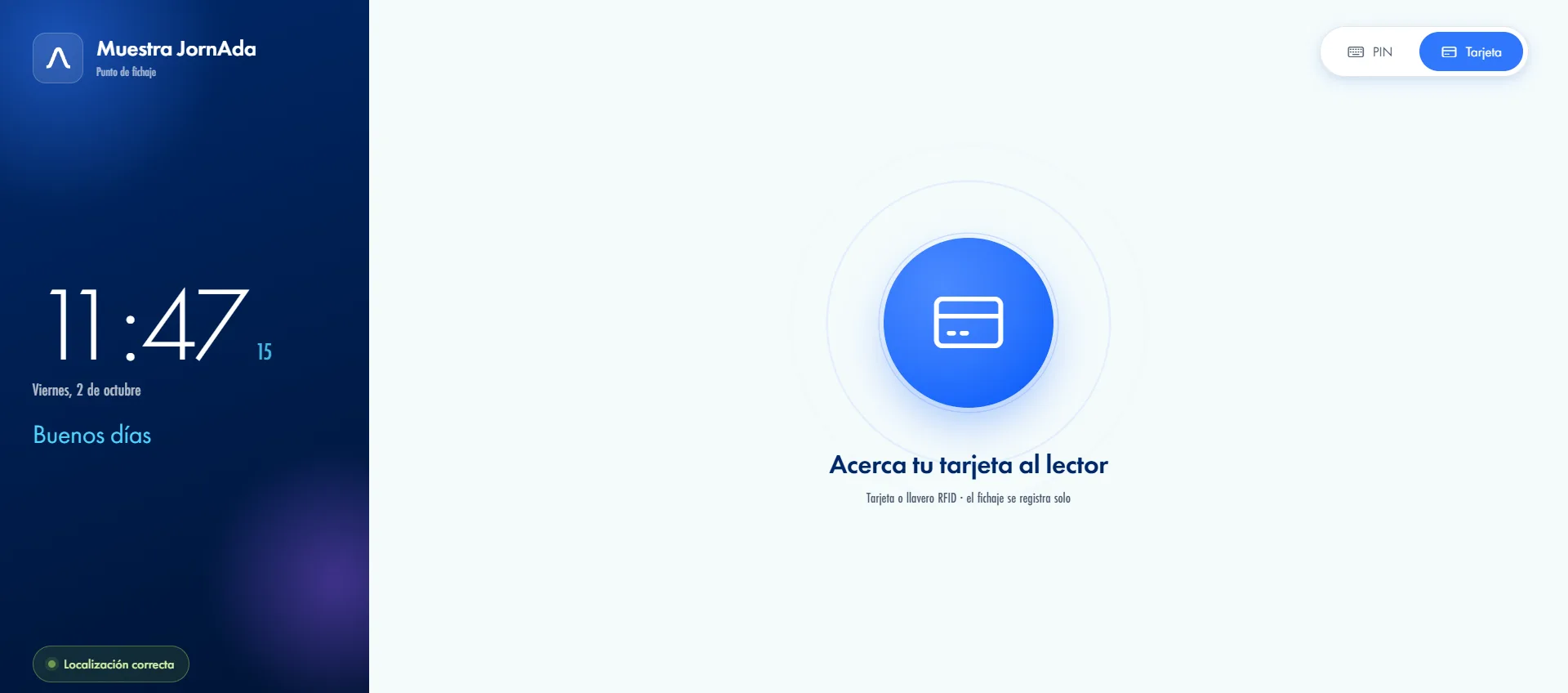
    Nobody logs in. The screen shows your logo, the clock and the date, and switches between card and PIN with a tap.

  3. People tap their card or type their PIN

    The PIN is 4 to 6 digits and admin assigns it. The card is read by any USB RFID reader.

  4. The screen confirms and resets for the next person

    It greets them by name, stamps the clock-in or clock-out with the time and goes back to waiting on its own. A tap dismisses it sooner.

A web page, not an installed app

The clock-in station is a web address you open in the browser by the door. An iPad, an Android tablet or a mini PC with a reader hanging on the wall all work. There is no app to install and no per-device licence, and the times it shows are those of that site's timezone, not the whole company's.

A web page, not an installed app

Card or PIN: what you need by the door

Cards need no driver and no pairing: any USB RFID reader that emulates a keyboard works, and we do not require a particular model. The card is linked from the employee's record and admin types the PIN in the same place. Both are unique within the company, and you can leave someone with card only or PIN only.

Card or PIN: what you need by the door

A public link that leaks nothing

All the server sends that screen is the name, the avatar, the day's shift and the clock-out summary. The PIN, the card number, the email address and the ID never travel to a browser left open in a corridor. And errors come out as a plain message, never as an internal code.

A public link that leaks nothing
Common questions

Frequently asked questions about the time clock kiosk

Can't find your answer?

Write to us and we will help you sort it out.

Contact us

No. You open the clock-in station link in the browser and leave that tab up. Any tablet or computer with a browser works, with no per-device licence. That said, the browser is in charge: if you want to stop someone leaving the page, that is the tablet's own kiosk mode.

Any USB RFID reader that emulates a keyboard, listed on spec sheets as HID or keyboard wedge. No driver and no setup: the reader types the card code and presses Enter, which is precisely what the kiosk is waiting for. We do not sell hardware and we are not tied to a manufacturer.

With a card they need it in their hand, and a card cannot be assigned to two people in the same company. The PIN is personal and unique, but it is something you can say out loud: if that worries you, block PIN for those people and leave only the card. Every clock-in is stored with the exact method used and with the server's time.

The result screen is dismissed with a tap anywhere, and it clears itself with a progress bar showing how long is left. With a card you do not even need that: the reader cuts through the result and the screen changes to the next person's name.

Yes, there is a dedicated endpoint for external readers that send the code themselves. It authenticates with its own header, accepts up to 120 requests a minute and requires latitude and longitude. It returns clear codes for card not recognised and clock-in not allowed.

As long as it takes to swipe a card or type four digits. The result screen clears itself in a few seconds, with a bar showing how long is left, and a tap anywhere dismisses it sooner without hunting for a button. With a card you do not even need that: the reader cuts through the result screen, so the next person swipes and the screen changes straight to their name. A whole shift gets in without anyone queueing.

Their name, their avatar and the schedule expected of them that day. On the way in, a greeting with their first name and the shift they are on; on the way out, the summary: what time they started, how many minutes of break and the total worked. With no photo uploaded they get a monogram with their initials, which is the normal case. Just enough for the person to confirm they clocked in and were recognised correctly.

A clear message appears and nothing is recorded. There are dedicated messages for the usual cases: wrong PIN, card not recognised, you cannot clock in yet, and method not allowed. The internal code never shows on screen, so the person reads what happened rather than a developer's error. The warning clears itself after a few seconds and the screen is ready again, with nobody having to touch anything.

Yes. The link belongs to your company and can be opened on as many devices as you need, with no per-terminal licence. The times each screen shows are those of its own site's timezone, which in JornAda is configured site by site rather than for the whole company, so two workplaces in different zones do not show the same clock. And each terminal switches between card and PIN with a tap.

That is exactly what it is for. The kiosk needs nobody to have a phone or an email account: admin types the PIN on the employee's record and links the card in the same place, and with that the person can clock in. On top of that, you can block which methods each employee is allowed, so in a mixed workforce some clock in from the app and others only at the terminal by the door.

Turn any tablet into a clock-in terminal

Clock-in station for common areas using PIN codes. No smartphone needed: any tablet becomes a time tracking terminal.