
Distribute your entire company's payslips in seconds

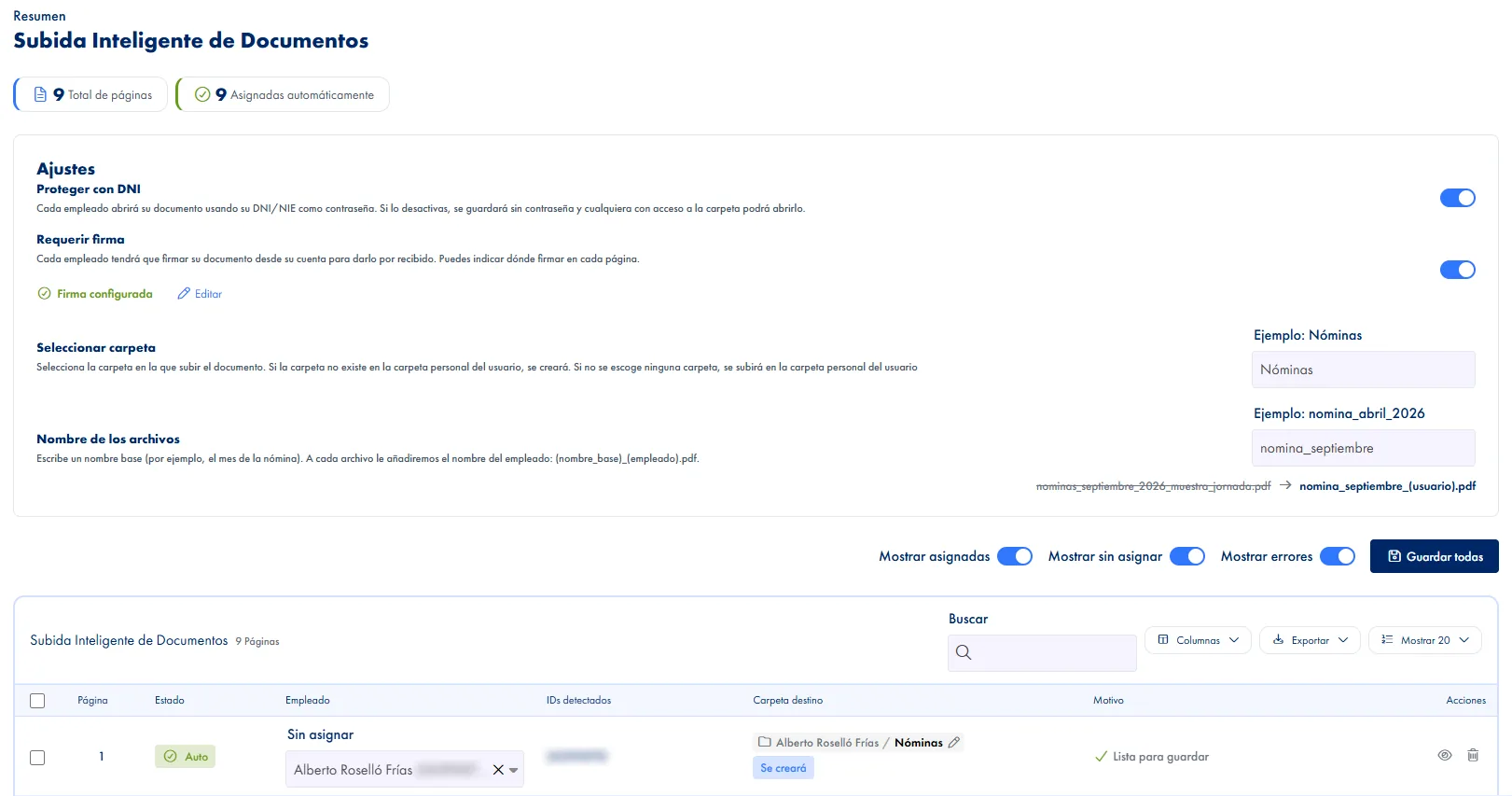
Upload a PDF with all payslips and JornAda uses AI to detect each employee's ID and automatically assign each payslip to the correct folder.

Try for free✓ 15 days free  ·  No card required
Distribute your entire company's payslips in seconds

Automatic employee detection with AI

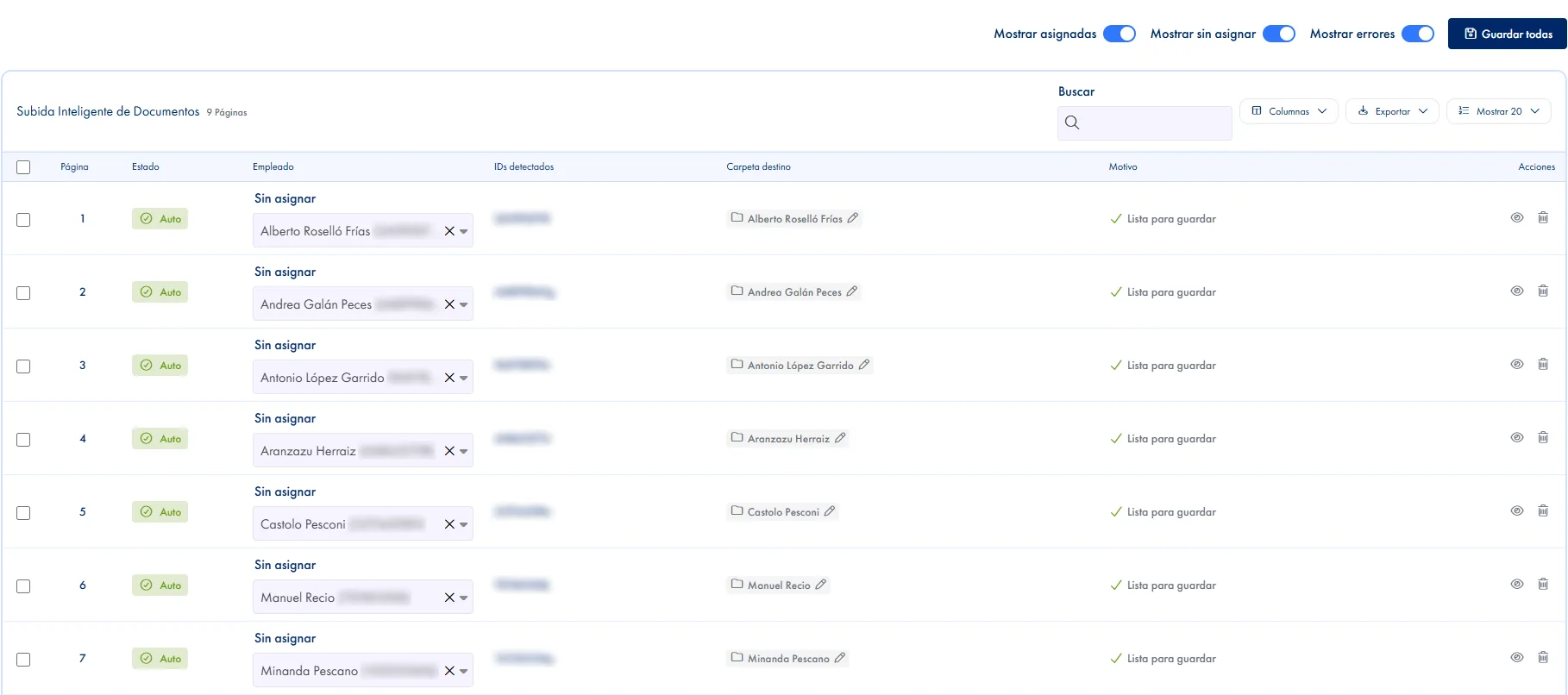
JornAda extracts text from the PDF and detects the DNI, NIE or Passport on each page to automatically identify the recipient employee.

Scanned PDF support with OCR

Are your payslips scans? No problem. JornAda uses OCR with tesseract to read text from images or scanned PDFs.

Automatic folder assignment

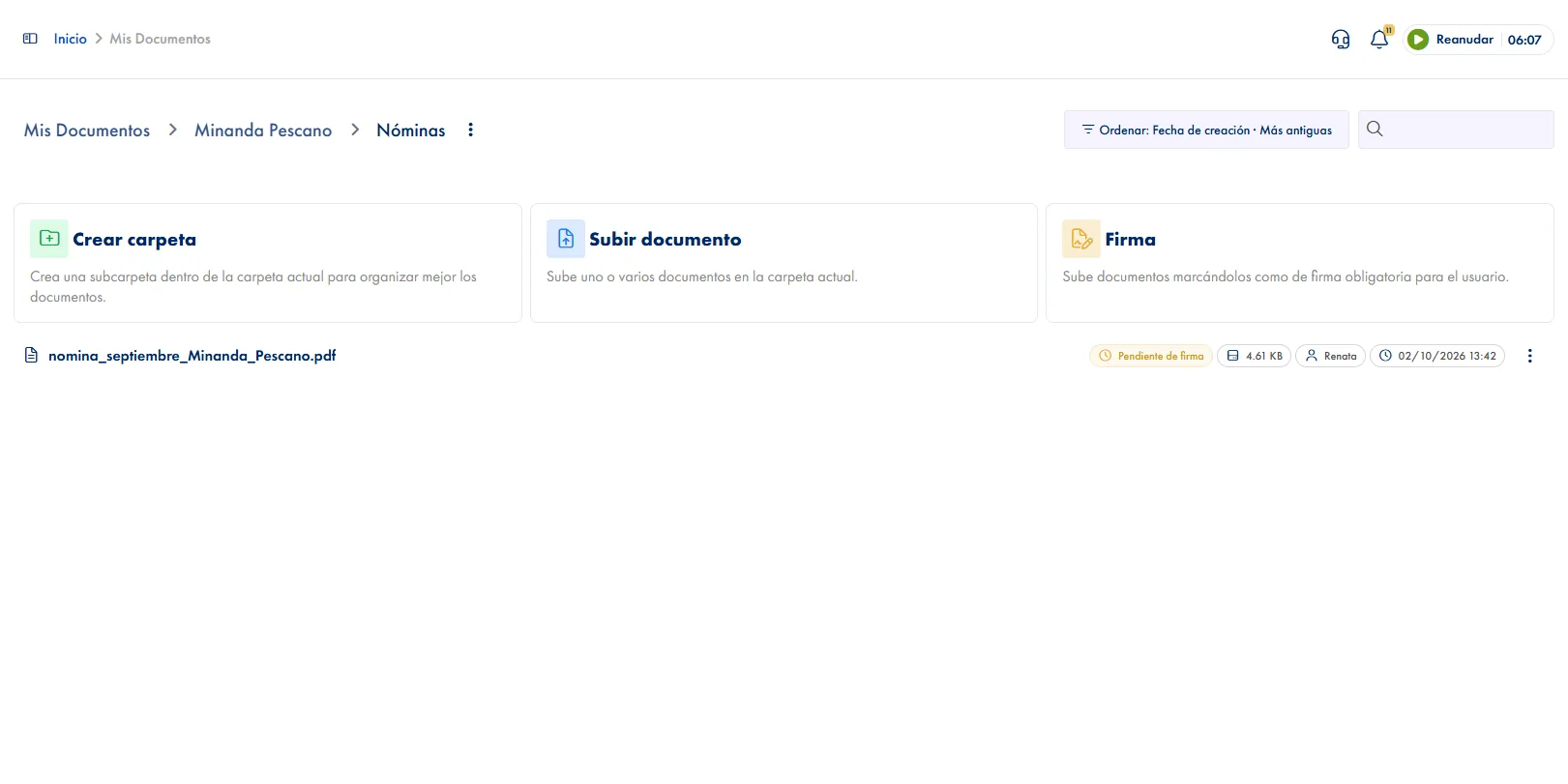
Each payslip is automatically placed in the corresponding employee's root folder. No manual work, no errors.

Digital payslip signature

Mark payslips as requiring a signature. The employee signs digitally and the acknowledgment with date and time is recorded.

Automatic employee notification

As soon as the payslip is uploaded, the employee receives a push and email notification informing them of the new document.

Complete payslip history

Each employee has access to their complete payslip history from their personal folder, organized and accessible at any time.

How it works

How payslip distribution works in JornAda

  1. You upload one PDF with every payslip in it

    The same one your payroll bureau already hands you, one page per employee. You upload it from the archive with the Smart Upload button.

  2. It is read page by page

    Each page is split off and its text extracted. If it is a scan, JornAda runs OCR on it inside its own server.

  3. Each page is matched by ID number

    It looks for the ID number on the page and matches it against your active employees. On a match, the page goes to their folder on its own.

  4. You review what is doubtful and confirm

    A table shows you what was assigned and what was not. You fix anything doubtful right in the cell and confirm.

Each payslip's password is its own ID number

Switch protection on and each payslip is locked with the ID printed on that page, not the one on the record of the employee it was assigned to. The difference matters: if a page ends up with the wrong person, only the holder of that ID can open it. And if no ID is found on a page, it is not half-saved: it errors and waits in review.

Each payslip's password is its own ID number

The PDF never leaves JornAda

OCR is Tesseract in Spanish, running on the backend itself: the PDF holding your whole workforce's payslips is not sent to any external service to be read. Only what needs it goes through OCR, the pages with no text layer. And when you pick the destination folder JornAda catches typos, so you do not end up with two nearly identical folder names.

The PDF never leaves JornAda

What JornAda does not do with your payslips

It does not calculate them. There is no base salary, no income tax, no social security contributions, no gross and net anywhere. Your payroll bureau still produces the payslip, and JornAda handles the stretch that eats the hours: distributing, protecting, collecting signatures and filing. The entry point is the PDF you already get each month, and it also integrates with A3 and other platforms through the API.

What JornAda does not do with your payslips
Common questions

Frequently asked questions about payslip distribution

Can't find your answer?

Write to us and we will help you sort it out.

Contact us

Yes. When a page has no text layer, JornAda turns it into an image and runs OCR with Tesseract in Spanish, inside its own server. It looks for the ID number in that text. The cleaner the scan, the fewer pages end up in manual review.

They stay on the review screen with the reason written out, separating the two cases that matter: no ID was detected at all, or the one detected matches no employee. From there you pick the employee by hand or drop the page from the batch. You can confirm only the rows you have reviewed and leave the rest.

Yes. Confirming the batch marks them as requiring a signature and you place the signature box on the page. The employee signs from the web or the app, and afterwards you can download the signature certificate with the date, the IP address, the device and the hashes of the original and the signed file.

It depends on the kind of protection. The usual case, an owner password that blocks editing or extracting pages, JornAda decrypts by itself. If the PDF demands a password just to open, there is no way to process it: it asks you to generate one without. The input file limit is 50 MB.

In the employee's personal folder, or in the subfolder you pick for the batch, which JornAda creates if it does not exist. Each person gets their alert by email and push and sees their payslip history in their folder. They see it and admin sees it; nobody else.

You upload a single PDF and JornAda splits it page by page, matches each one to its employee and shows you the result in a table before saving anything. What used to be open, save, rename and upload one at a time becomes reviewing whatever did not match. And you do not have to confirm it all at once: you can save only the rows you have reviewed and leave the rest for later.

When you confirm the batch you pick the destination subfolder and JornAda tells you how many employees already have it and how many will be created, before creating anything. It also compares the names and catches typos, so you do not end up with two nearly identical folders side by side. And if you change the folder for one page, it checks the chosen one really belongs to that employee before saving.

Yes, and that is the point of the flow. Nothing goes out until you confirm: the review table lets you preview any page, change the employee or the folder right in the cell and drop the ones that do not belong. The batch preview even exports to CSV, in case you want someone else to check it first. The alerts to employees go out on confirmation, not before.

It reaches them. Each person gets their alert by email and by notification on their phone, and the payslip stays in their personal folder, so they can also come back to it months later without asking anyone. That is where their own payslip history lives. They see it and admin sees it, having access to the whole archive; nobody else.

The entry point is the PDF they already hand you each month, one page per employee, without asking your bureau to change tools or export in a special format. If what you want is the systems talking to each other, JornAda integrates with A3 and other platforms through its public API. Smart Upload is used from the web, not from the app.

Save hours on payslip distribution

Upload a PDF with all payslips and JornAda uses AI to detect each employee's ID and automatically assign each payslip to the correct folder.